Systems integration for SMEs: a practical playbook that works
Why integration becomes urgent as you grow
Most SMEs start with a tool per problem: a CRM for sales, an accounting package, an ERP or inventory tool, an email platform, spreadsheets, and a ticketing tool. It works until it does not.
At a certain point, growth increases the cost of disconnected systems:
- Sales updates never reach finance
- Stock data lags behind orders
- Customer records diverge between tools
- Staff retype the same information in three places
- Reporting becomes a weekly scramble
This is exactly where systems integration stops being an IT nice-to-have and becomes operational hygiene. At Fintiq, we focus on connecting business tools and eliminating data silos through robust API orchestration, expert API integration, and real-time data synchronisation.
What good integration looks like in an SME context
Enterprise integration programmes can be overkill for a growing business. A practical SME approach usually has four goals, even when the need starts to look like enterprise system integration.
1) One source of truth for key records
Pick where the authoritative version of each record lives.
For example:
- Customers live in CRM
- Invoices live in accounting
- Stock lives in ERP
Then integrate outward to avoid duelling truths.
2) Predictable data flows, not ad hoc exports
If your team relies on weekly CSV exports, you already have a process. It is just manual and fragile.
Aim for:
- Real-time sync where it matters
- Scheduled batch jobs where it does not
- Clear ownership of failures
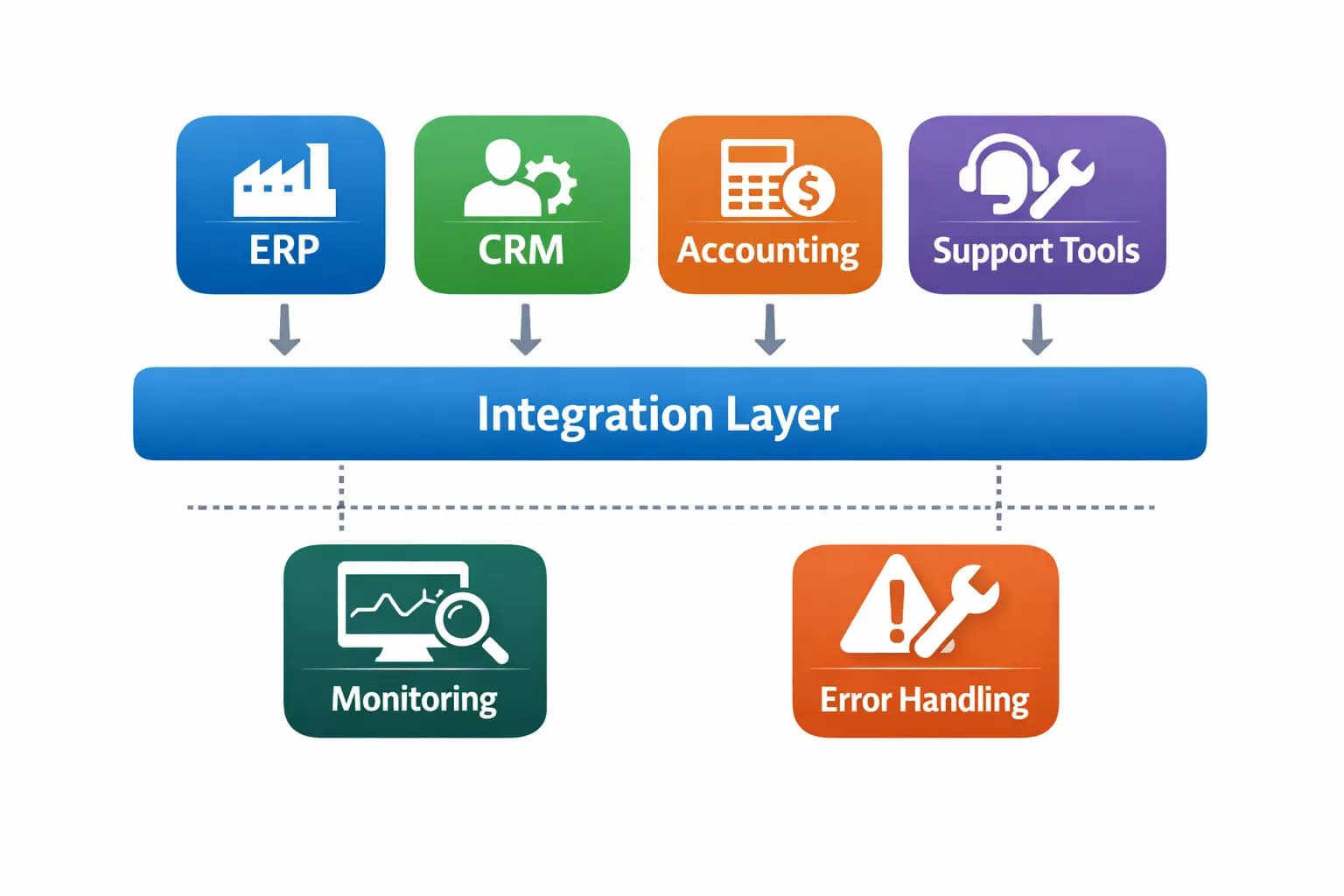
3) Strong error handling
Integrations fail for normal reasons: timeouts, rate limits, bad input data, or upstream outages.
A resilient integration includes:
- Retries with backoff for transient issues
- Dead-letter queues or failed events lists
- Alerts to the right person with context
- Idempotency where possible so retries are safe
4) Observability from day one
If nobody can see whether the sync ran, the business cannot trust it. Monitoring and alerting should be built into every integration workflow, not bolted on later.
A step-by-step integration playbook
Step 1: Map the workflows, not the tools
Start with the business process.
Write down:
- The trigger event, such as a new lead or paid invoice
- The systems that need an update
- The data fields required
- Who owns exceptions
This keeps you focused on outcomes rather than just moving data.
Step 2: Identify the first integration that pays for itself
Look for high-frequency manual work with clear rules.
Good first candidates include:
- CRM to ERP customer sync
- Order placed to finance notification
- Payment received to fulfilment trigger
- Support ticket created to customer record enrichment
These are common use cases we implement for growing teams.
Step 3: Choose an architecture that matches your reality
Common SME options include:
- Direct API integration between two systems
- An orchestration layer once you have more than two tools
- Event-driven flows for time-sensitive operations
- Scheduled batch jobs for low-criticality updates
If you are integrating multiple tools, orchestration helps centralise error handling and governance.
Step 4: Define done with measurable acceptance criteria
Before building, agree on:
- Which records sync
- How often
- What happens on failure
- How reconciliation happens
- Who receives alerts
Clear criteria make delivery and support far smoother.
Step 5: Build, test, then roll out with a safety net
Testing should include:
- The happy path
- Bad data such as missing fields or wrong formats
- Duplicates
- Partial failures
- Rate limiting
Roll out gradually to reduce risk:
- Start with a limited scope
- Enable detailed logging
- Train your team on alerts and responses
Step 6: Tighten governance as you scale
As integrations grow, add:
- Version control for integration logic
- Documented runbooks
- A change process for business-critical flows
- Regular reviews for integration drift
A FinOps mindset also helps reduce waste and manage SaaS sprawl.
Risk and compliance notes without the drama
Integrations move data, and data attracts risk.
Practical controls to include early:
- Least privilege API access
- Secrets management with no keys in spreadsheets
- Audit logs for sensitive actions
- Secure defaults for identity and access
API security risks are consistent across organisations, which is why OWASP maintains an API Security Top 10 as a baseline. For broader cyber risk management, Gartner highlights continuous approaches such as Continuous Threat Exposure Management.
How we help at Fintiq
Fintiq designs and implements systems integration that connects ERP, CRM, and business tools using robust API orchestration and real-time data synchronisation. We deliver API integration services, legacy system automation services where older tools still matter, and end-to-end automation services plus documentation, training, and ongoing support.
If your team is looking for a custom API development company or an API solutions company, the practical requirement is usually the same: dependable API integration services that fit the way the business already works.
Learn more about Fintiq's solutions, services, and approach on the main site.
Ready to remove data silos
If you want to stop repeating the same admin across tools, let us help.
- Book a strategy call through the contact page at https://fintiq.co.za/contact
- Or send us a message via the contact form on the same page.